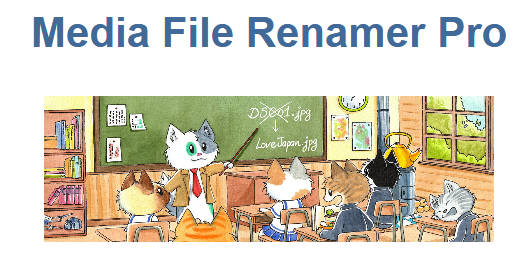
Media File Renamer (Pro), is a stand-alone premium wordpress plugin.
Renames your media files for better SEO and a nicer filesystem (automatically or manually).Media File Renamer renames automatically and/or manually the files of your Media entries, depending on their titles, the posts or products they are attached to, or other custom rules, while maintaining the references to those files.Media File Renamer is a WordPress plugin that renames your media files. It can be automatic (depending on certain conditions) or manual. It is excellent for SEO, ...
Read The Full Description Here
Renames your media files for better SEO and a nicer filesystem (automatically or manually).
Media File Renamer renames automatically and/or manually
the files of your Media entries, depending on their titles, the posts
or products they are attached to, or other custom rules, while
maintaining the references to those files.
Media File Renamer is a WordPress plugin that renames your media files.
It can be automatic (depending on certain conditions) or manual. It is
excellent for SEO, to keep your WordPress tidy and to avoid issues
related to files. The references to those filenames on your website will
also be updated. It has many features, and if you are a developer you
can automate the whole process and how the renaming is performed.
Transliteration
Advanced transliteration which has been built on thousands of different use cases.
Additional Auto Methods
Additional methods for auto-renaming your files. Based on the Post
Attached Title (Product, for example), Anonimization, ALT text, etc.
Numbered files
If the ideal filename already exists, a number will be appended, and increased if needs to be.
SQL Logging
Every SQL requests performed by the Renamer will be logged, as well as the anti-requests (for rollback purposes).
Sync Meta
Some of your metadata can be synchronized with the title of the filename automatically.
User-friendly
Very easy to use! Click on the button or type a new filename and you’re done.
Documentation: Media File Renamer (Pro) Nulled
Requirements
- WordPress installation (minimum version 4.6 or above)
- PHP (minimum version 5.6 or above)
General Installation/Update Instructions
- For general instructions on installing Wordpress Plugins, please read "How to install Wordpress Plugins"
- For general instructions on updating Wordpress Plugins, please read "How to update Wordpress Plugins"
Changelog: Media File Renamer (Pro) Nulled - Version 6.2.2
= 6.2.2 (2026/02/25) =
* Add: New WP-CLI commands (for metadata).
= 6.2.1 (2026/02/16) =
* Fix: Newly uploaded images are now correctly marked as pending even when no “On Upload” method is selected.
* Update: Revamped the plugin description in readme.txt with clearer wording and proper links.
* Fix: Resolved an issue where enabling the Post Meta option could double folder paths by excluding the _wp_attached_file meta from updates.
* Update: Refreshed the Meow Common library to improve multisite support and overall stability.
* 🎵 Discuss with others about Media File Renamer on [the Discord](https://discord.gg/bHDGh38).
More Info at the Developer's website: Media File Renamer (Pro) Nulled
Here is the external link to the developer's website:
https://store.meowapps.com/products/media-file-renamer-pro/